Build wallet into your existing app
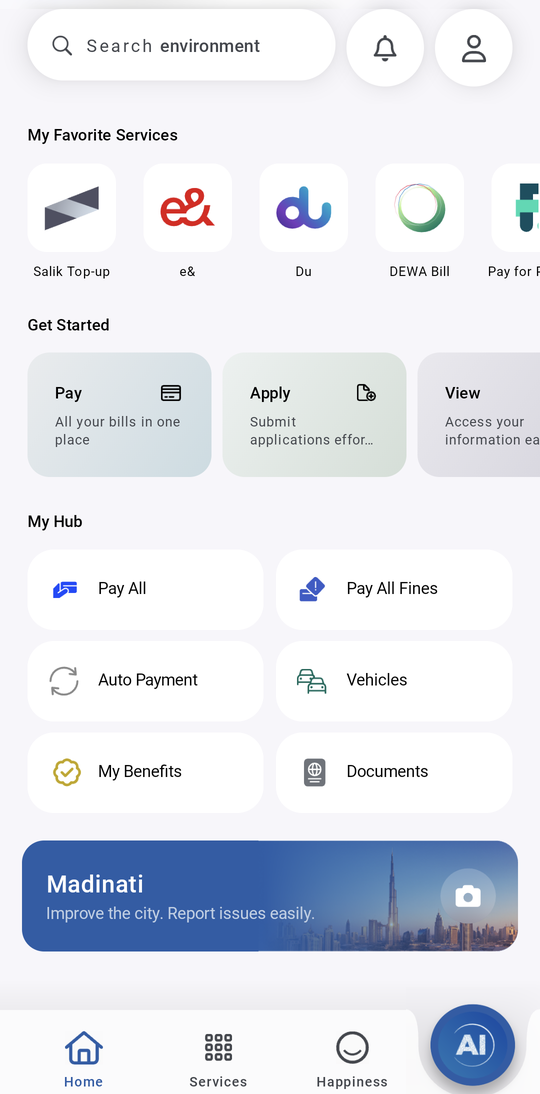
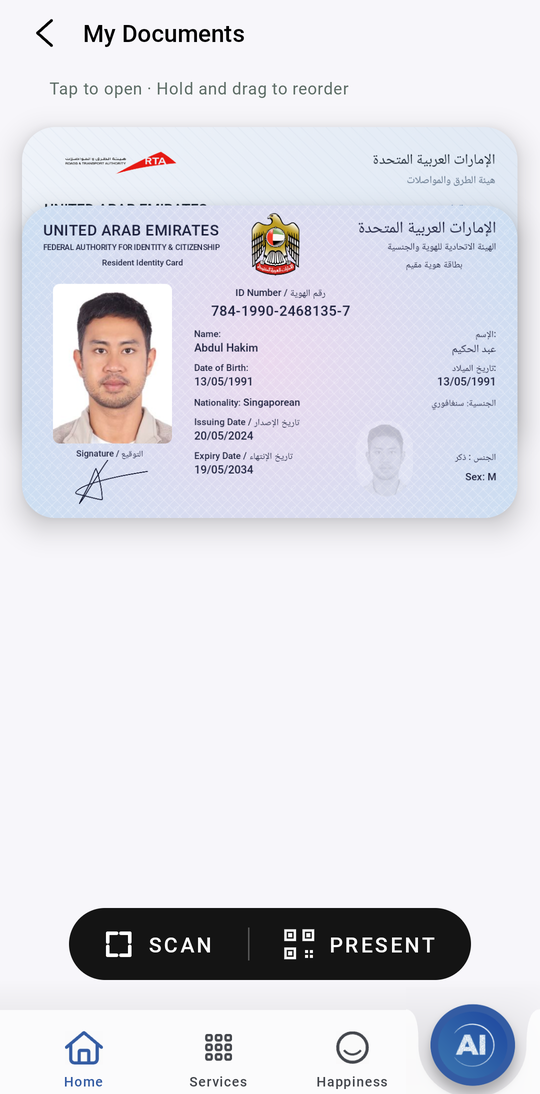
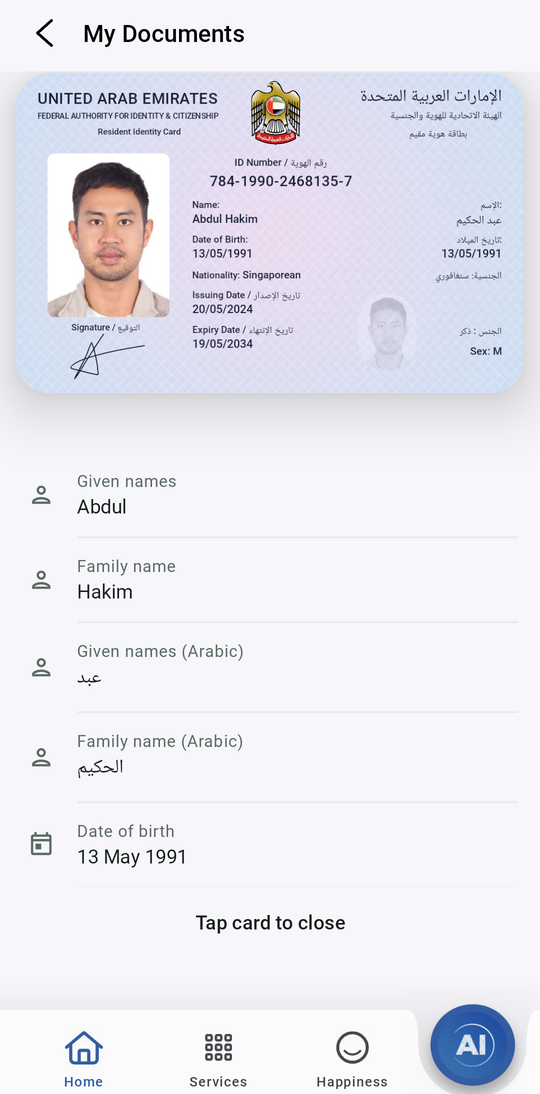
Your app stays the app: its home screen, its navigation, its look. One tile, here Documents, opens the SDK’s wallet screen between your own title bar and tab bar. The cards, the consent sheet, presenting over QR + Bluetooth and the face check are the SDK’s. The holder never leaves your app.
Everything in Build a wallet app works the same inside your app: holding cards, presenting, the face check, working offline. This section covers only what’s different when the wallet lives behind one tile.
How it works
Section titled “How it works”sequenceDiagram
autonumber
actor H as Holder
participant A as Your app
participant W as Wallet screen (SDK)
participant V as Verifier
H->>A: Taps the Documents tile
A->>W: Shows the wallet under your title bar
H->>W: Taps Present: QR code
V->>W: Scans it, sends a signed request
W->>H: Names the verifier, lists the fields
H->>W: Approves (and passes the face check, if you turned it on)
W->>V: Approved fields, signed by the phone
H->>A: Back: your home screen
What stays yours, what the SDK does
Section titled “What stays yours, what the SDK does”| Yours | The SDK’s |
|---|---|
| The home screen and every other tile | The card list and the card details |
| Navigation: the title bar (“← My Documents”), the tab bar, Back | The consent sheet: who is asking, which fields |
| The name, colour, background colour, typeface and card designs the wallet uses | Presenting over QR + Bluetooth, and to websites |
| Which sample cards now, which issuer later | The face check before a protected card is shared |
| Keys in the phone’s secure hardware; camera and Bluetooth permissions |
Worked example
Section titled “Worked example”CityNow is the demo: a city super-app, Android and iOS, whose Documents tile holds a driving licence and an Emirates ID. Everything else on its home screen is its own. The Quickstart adds the same tile to your app with the same calls, Fit it into your screens puts your bars around it, and Make it look like your app gives it your colours and cards. The code is compiled against the SDK in the repository.
Next: Quickstart.