Build a wallet app
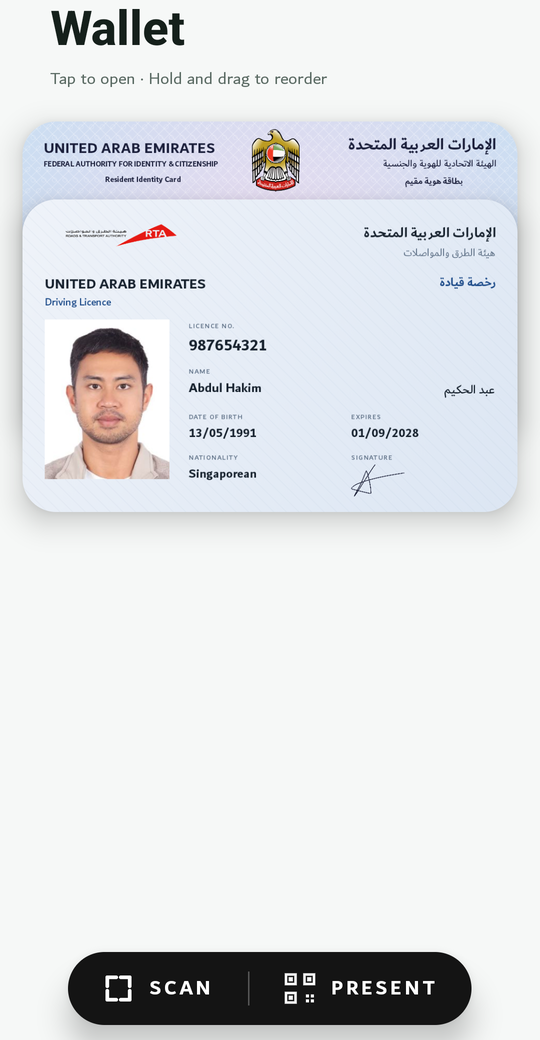
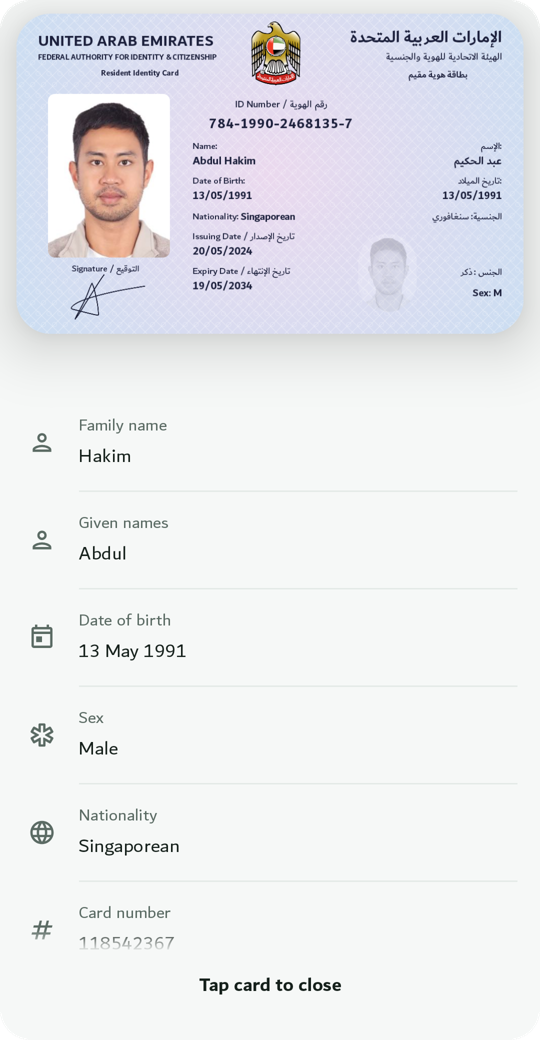
The Wallet SDK gives your app everything a holder needs: receive credentials from an issuer, keep them behind the phone’s secure hardware, show them, and present them when asked. Ready-made screens cover the card list, the details, presenting over QR + Bluetooth, and scanning credential offers.
How it works
Section titled “How it works”sequenceDiagram
autonumber
participant I as Issuer
participant A as Your wallet app
actor H as Holder
participant V as Verifier (site or app)
I->>A: Credential offer (QR or link)
A->>H: Preview of the offer
H->>A: Confirms: new key in secure hardware
I->>A: Credential, signed by the issuer, bound to that key
V->>A: Request: document + fields (QR, link, or system sheet)
A->>H: Names the verifier, lists the fields
H->>A: Approves
A->>V: Approved fields, signed with the device key
What you get
Section titled “What you get”- One SDK object with the holder API: list, details, issue, present.
- The wallet screen (
WalletScreenon Android,WalletViewControlleron iOS): the whole wallet UI, with permissions handled. - Card designs per document type: the wallet draws each card from the signed data.
- Entry points websites and issuers use: deep links, App Links and Universal Links, the browser’s Digital Credentials API (Safari’s “share your ID” sheet on iOS 26, Chrome on Android).
Worked example
Section titled “Worked example”The Wallet app is the demo: Android and iOS, three document types with card designs, every entry point wired. The Quickstart builds a holder app from the same pieces.
Next: Quickstart.