Try it in 5 minutes
The quickest way to understand the product is to watch a check happen. You need a phone with the demo wallet and a laptop (or the same phone) with a browser.
-
Get the demo wallet. Ask us for the Android build or the TestFlight link (Support). On first launch it issues itself a demo driving licence and a demo Emirates ID with fictional data.
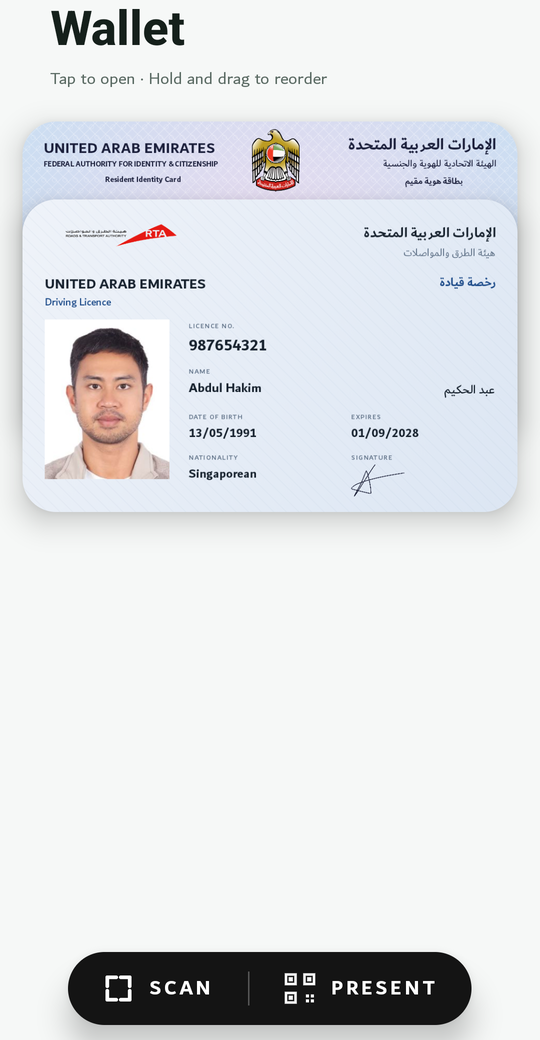
-
Open the demo site. Go to icp-telco.abdulhakimsg.com, a fictional mobile operator signing up a customer. Pick any plan and number. The identity step shows the ICP Wallet box.
-
Scan or tap the QR code. On a laptop, scan it with the wallet’s Scan button. On the phone, tap it.
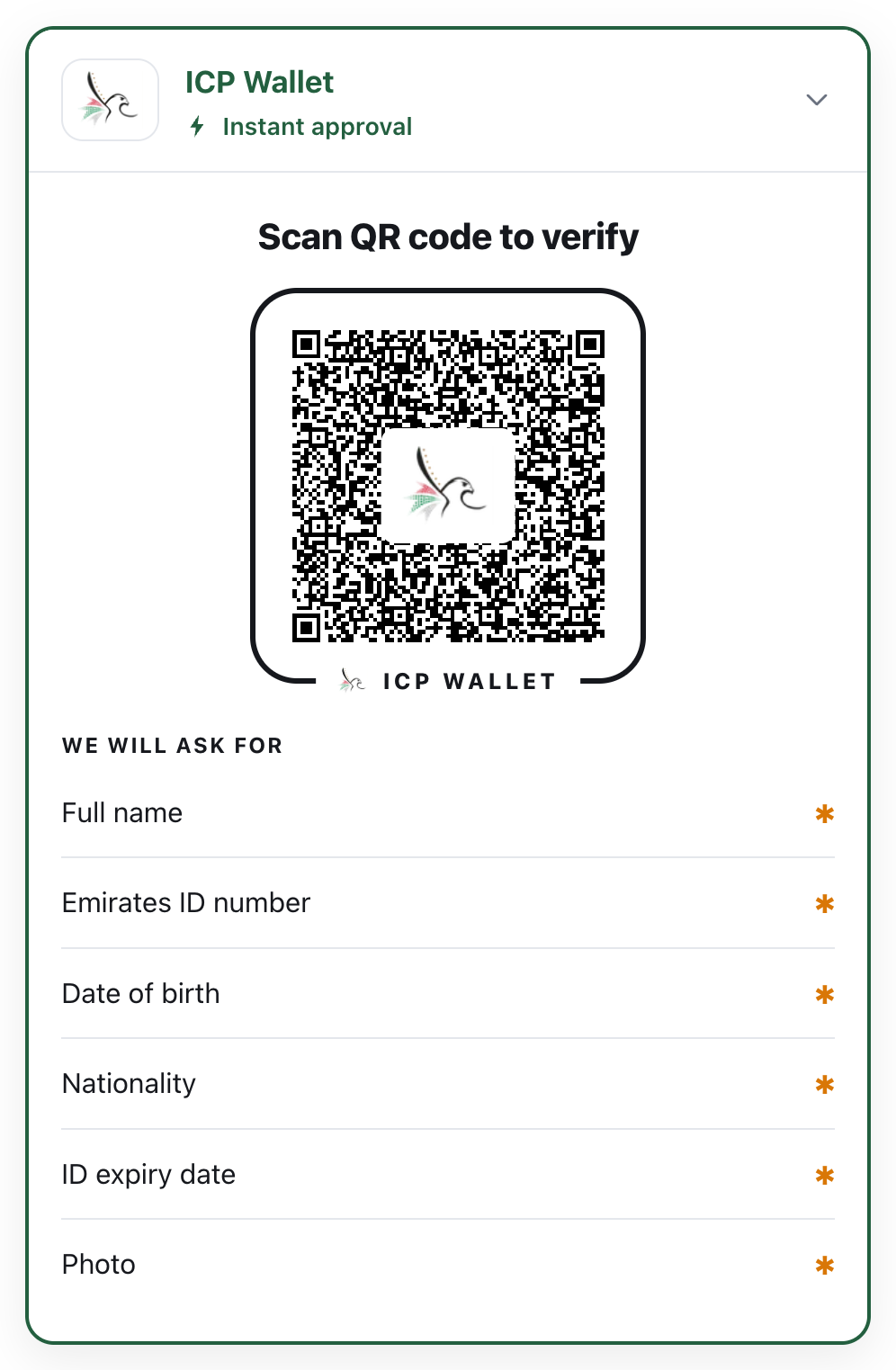
-
Approve on the phone. The wallet names who is asking, shows exactly which fields they want, and waits for you to tap Share.
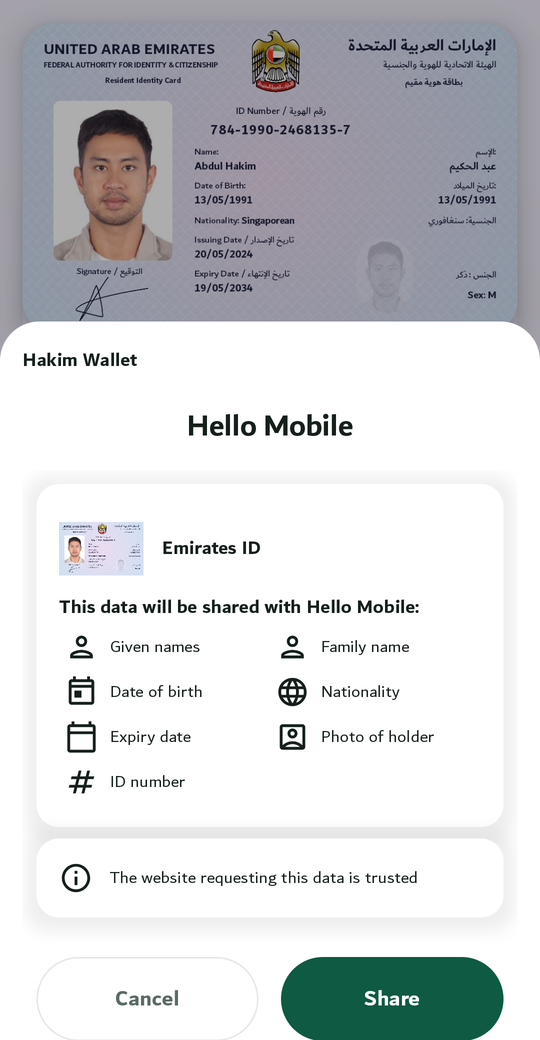
-
Watch the site update. The box turns into a green tick and lists the fields it received. The site’s server checked the issuer’s signature, the device binding and the validity before showing anything.
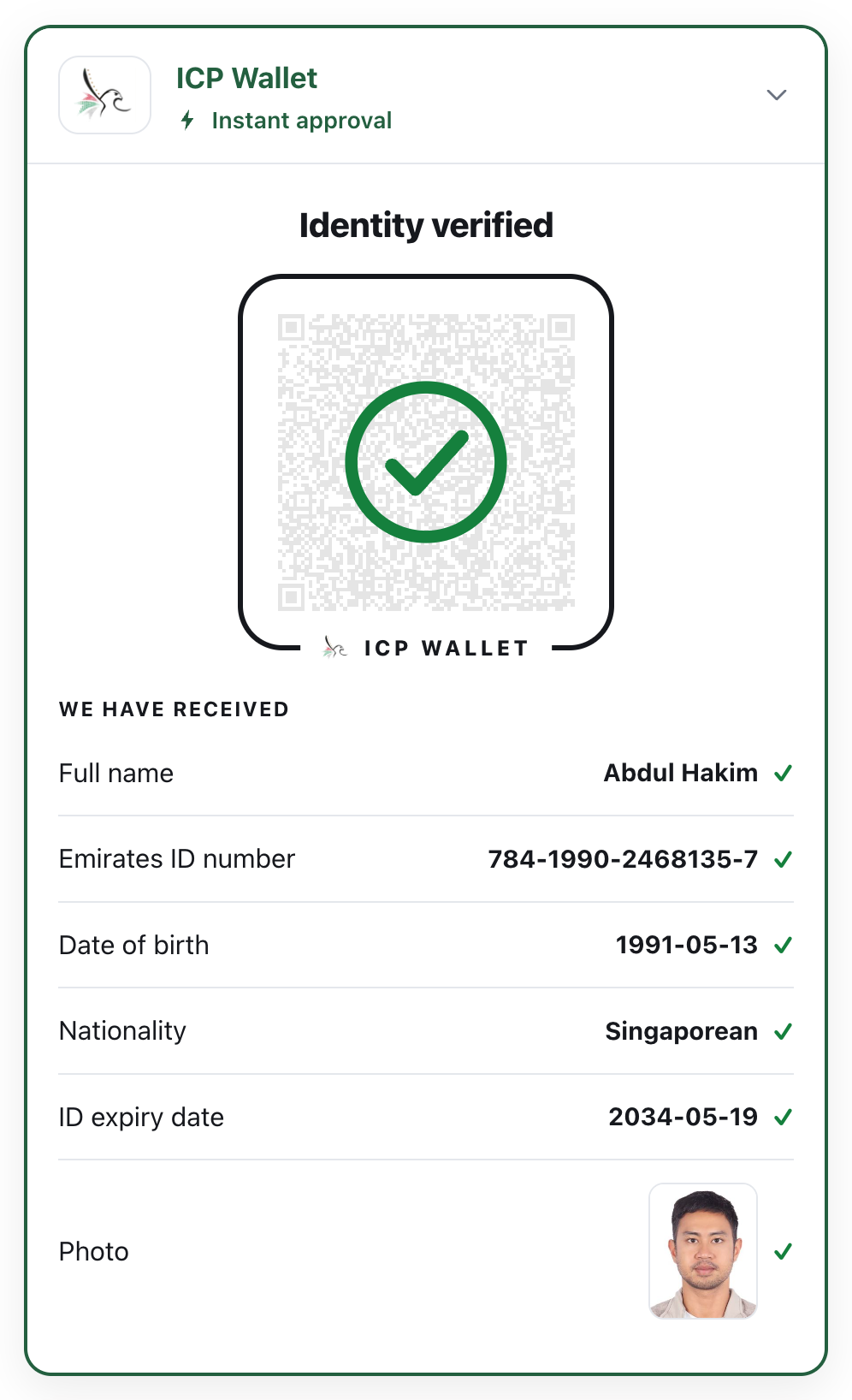
What just happened
Section titled “What just happened”- The website asked for seven fields of an Emirates ID, not the whole card.
- The wallet released only those fields, and only after you approved.
- The check ran on a server. The page never decides on its own.
- Wait a minute before scanning and the QR code expires; you get a Refresh button. An expired request can never be approved.
Next: build it yourself in Build verification into your website.