Build a verifier app
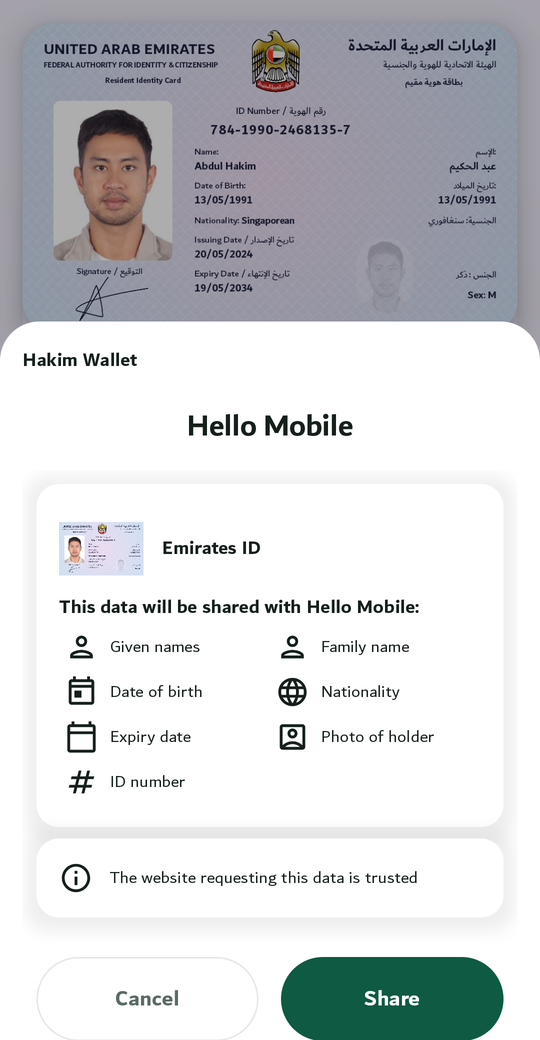
The holder shows a QR code in their wallet; your app scans it; the two phones connect over Bluetooth; your app shows a green or red result with the photo for a face check. No internet is needed for the check itself (Work offline).
How it works
Section titled “How it works”sequenceDiagram
autonumber
actor P as Operator
participant O as Your app (verifier)
participant W as Wallet (holder's phone)
actor H as Holder
P->>O: Picks a check (a preset)
H->>W: Taps Present: QR code
O->>W: Scans the QR, connects over Bluetooth
O->>W: Signed request: document + fields
W->>H: Names the verifier, lists the fields
H->>W: Approves
W->>O: Approved fields, signed by the phone
O->>O: Issuer signature, device binding, validity, revocation
O-->>O: Accept / reject / inconclusive, with the portrait
What you get
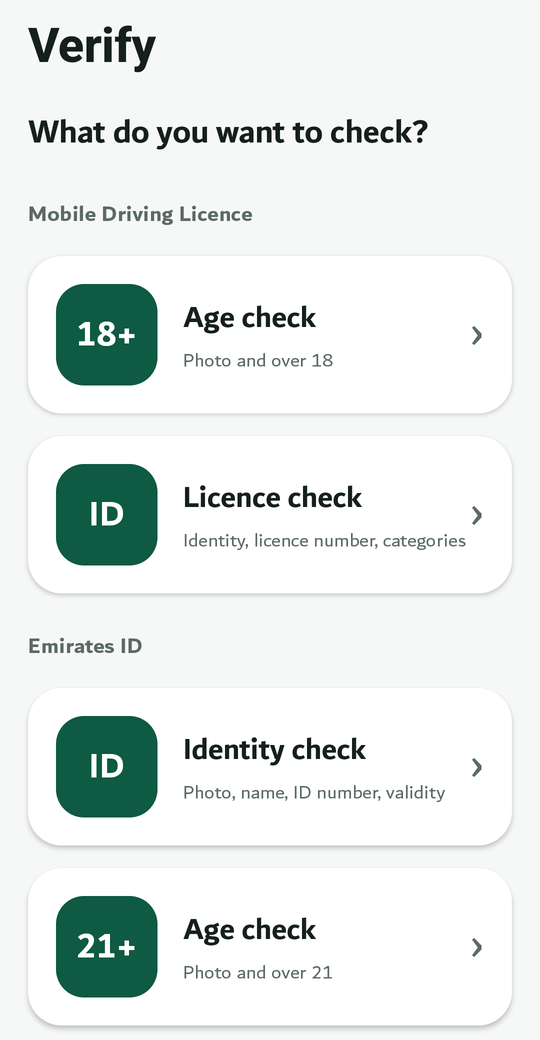
Section titled “What you get”- One verify screen (
WalletVerifyScreenon Android,WalletVerifyViewControlleron iOS): the list of checks, camera and Bluetooth permission set-up, the scanner, the connection, and the result view (banner, large portrait, fields, the checks that ran, how current the revocation answer is). - Presets for the driving licence (age 18+, licence check), the Emirates ID (age 18+, identity) and the competition licence (valid medical, licence check). Define your own in a few lines.
- The headless API (
sdk.verifier) if you want your own screens.
Worked example
Section titled “Worked example”The Verify app is the demo: Android and iOS, six presets, a signed issuer list for trust and a reader certificate so wallets name it. The Quickstart builds the same app; its Kotlin is compiled against the SDK in the repository, and its Swift in a real Xcode project.
Next: Quickstart.